
Every week, a dozen new artificial intelligence apps launch promising to automate your entire job. Yet real-world usage data shows that over 90% of daily users rely on the same handful of core platforms—and waste money paying $20 a month for overlapping subscriptions they barely touch.
If you want a lean, high-output tech stack without subscription bloat, you do not need fifty different apps. You need the right tool assigned to the right job.
Based on real search demand, daily workflow testing, and cost-to-performance value on Tekzonic, here are the 7 best AI tools 2026 has to offer—ranked by what they actually do best.
Table of Contents
Quick Comparison: Best AI Tools 2026 at a Glance
| Tool Name | Best Use Case | Free Plan Available? | Paid Tier Starting Price | Standout Advantage |
| ChatGPT | All-Around Daily Assistant | Yes | $8/mo (Go) / $20/mo (Plus) | Best versatility, voice mode, and live web search |
| Claude | Coding & Long-Form Writing | Yes | $20/month ($17/mo annual) | Most natural human tone and superior code logic |
| Google Gemini | Google Workspace & Android | Yes | $4.99/mo (Plus) / $19.99/mo (Pro) | Deepest integration with Gmail, Docs, and Drive |
| Perplexity | Live Research & Cited Answers | Yes | $20/month ($17/mo annual) | Direct source links on every claim; zero guesswork |
| NotebookLM | Studying & PDF Analysis | Yes (Free) | Free / Google One | Zero hallucinations—answers strictly from your uploads |
| Canva Magic Studio | Social Graphics & Pitch Decks | Yes | $15/month | Fastest visual asset creation for non-designers |
| ElevenLabs | Voiceovers & Audio Cloning | Yes | $5/month | Industry-standard realistic voice synthesis |
1. ChatGPT — Best All-Around Daily AI Assistant
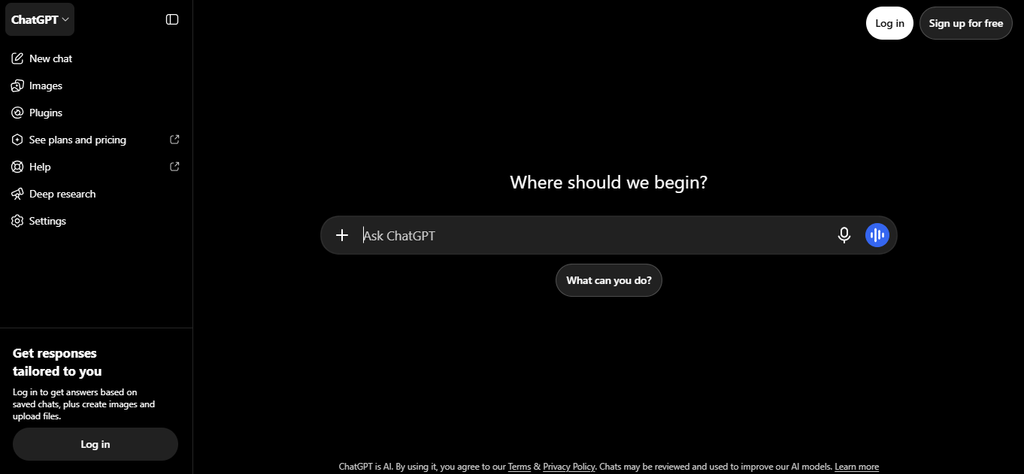
ChatGPT remains the benchmark among the best AI tools 2026 users rely on daily, commanding over 124 million monthly searches and hundreds of millions of weekly active users. Rather than forcing you to switch between separate apps for brainstorming, data analysis, image generation, and live web lookups, OpenAI has consolidated everything into one default workspace.
Why It Stands Out
- Automatic Live Web Search: ChatGPT automatically decides when a question needs real-time web data versus training knowledge, pulling live links directly inside your chat.
- Advanced Voice & Multimodal Input: You can share your screen, upload spreadsheets for instant charts, or brainstorm hands-free using natural voice conversation.
- Custom GPTs & Projects: Build repeatable mini-assistants pre-loaded with your brand voice, formatting rules, or coding templates.
The Catch
Because ChatGPT tries to do everything, its default writing style can feel overly formulaic unless you feed it strict tone instructions.
- Best For: Entrepreneurs, students, and everyday users who only want to pay for one general-purpose AI subscription ($20/month for Plus, or $8/month for the lighter Go tier).
2. Claude — Best AI for Coding, Nuance, and Human-Sounding Writing
While ChatGPT leads in raw user volume, Claude has seen the fastest surge in adoption—growing over 600% in search demand—because developers and writers consistently prefer its output quality.
Why It Stands Out
- Superior Code Generation & Claude Code: Claude handles complex multi-file logic, front-end layouts, and clean refactoring with fewer broken dependencies than most competitors.
- Artifacts & Cowork Workspace: When you ask Claude to write code, design an interactive calculator, or draft a structured document, it opens a dedicated side-by-side preview window so you can edit and test in real time.
- Natural Writing Tone: Claude avoids robotic filler phrases and adapts far better to nuanced editorial briefs, emails, and long-form guides.
The Catch
Rolling 5-hour message limits on the free tier mean heavy users will hit a cooldown window quickly during long coding or writing sessions.
- Best For: Software developers, bloggers, copywriters, and anyone tired of generic “AI-sounding” text.
3. Google Gemini — Best for Gmail, Docs, and Ecosystem Productivity
If your digital life already runs inside Chrome, Gmail, Google Drive, and Android, Google Gemini eliminates the friction of copying and pasting text back and forth between tabs.
Why It Stands Out
- Native Workspace Integration: Summarize long email threads inside Gmail, draft proposals directly in Google Docs, and pull data across your Google Drive folders using simple
@mentions. - Massive Context Window: Gemini processes massive documents, lengthy PDFs, and hours of video content in a single prompt without losing track of earlier details.
- Added Cloud Storage Value: Upgrading to Google AI Pro ($19.99/month) bundles 5 TB of Google One cloud storage alongside higher model limits.
The Catch
Outside of Google’s ecosystem, standalone creative writing can occasionally feel less punchy than Claude.
- Best For: Business owners, remote teams, and heavy Google Workspace users.
4. Perplexity — Best AI Search Engine for Fast, Cited Research
Traditional search engines force you to click through five ad-heavy articles just to verify a single stat. Perplexity replaces blue links with an answer engine that reads the web in real time and attaches numbered source citations to every sentence.
Why It Stands Out
- Verifiable Citations: Every claim links directly to the original article, report, or forum thread so you can fact-check in one click.
- Model Switching (Pro): Paid users can toggle between top reasoning models mid-thread to compare how different engines analyze the same research question.
- Deep Research Mode: Generates comprehensive, multi-source market reports in minutes rather than hours.
The Catch
Perplexity is built for research and factual lookup—not creative fiction or long-form storytelling.
- Best For: Analysts, journalists, students, and shoppers comparing technical specs before buying.
5. NotebookLM — Best Free AI Tool for Studying and Document Analysis
Google’s NotebookLM has quietly doubled in popularity because it solves the biggest headache in AI: hallucinations. Instead of pulling random answers from the open internet, NotebookLM builds a private AI brain locked strictly to the PDFs, YouTube videos, website links, and notes you upload.
Why It Stands Out
- Source-Grounded Answers: Every answer includes inline citations pointing to the exact paragraph in your uploaded documents.
- Audio Overviews: Turns dense textbooks, legal contracts, or research papers into a two-host conversational podcast you can listen to on your commute.
- Completely Free Access: Offers generous upload limits without requiring an immediate paid upgrade.
The Catch
It will not browse the open web for breaking news; it only knows what you feed into your notebook.
- Best For: Students, researchers, legal/finance professionals, and content creators organizing large research folders.
6. Canva Magic Studio — Best AI Tool for Fast Visuals and Branding
With over 30 million monthly searches, Canva remains the fastest way for non-designers to produce blog graphics, YouTube thumbnails, social media carousels, and pitch decks. Its built-in Magic Studio brings AI image editing directly into your canvas.
Why It Stands Out
- Magic Eraser & Background Remover: Clean up product photos or isolate subjects in one click without opening Photoshop.
- Magic Resize: Instantly convert a blog featured image into an Instagram post, Pinterest pin, and presentation slide.
- Brand Kits: Lock in your website’s exact hex colors and fonts so every graphic looks consistent.
The Catch
Many of the best background removal and AI resize tools are locked behind Canva Pro.
- Best For: Bloggers, solo founders, and social media marketers who need clean visuals fast.
7. ElevenLabs — Best AI Voice Generator for Creators
If you are building faceless YouTube channels, narrating blog posts, or producing product demos, ElevenLabs delivers the most natural pacing, breathing, and emotional inflection on the market.
Why It Stands Out
- Studio-Grade Realism: Eliminates the flat, robotic cadence found in older text-to-speech tools.
- Voice Cloning & Multilingual Dubbing: Clone your own voice or translate audio into dozens of languages while preserving your original vocal tone.
- Affordable Entry Tier: Starts at just $5/month for creators testing audio workflows.
The Catch
Usage is billed by character count, so long audiobook-style scripts require careful editing before generating audio.
- Best For: Video creators, podcasters, and educators scaling audio content.
How to Build the Smartest Stack From the Best AI Tools 2026
You do not need all seven subscriptions. Pick one combination based on your primary goal:
- The Solo Blogger & Creator Stack ($20/mo total): Use Claude Pro (for writing and website code) + Perplexity Free (for cited fact-checking) + Canva Free (for featured images).
- The Business & Productivity Stack ($19.99/mo total): Use Google AI Pro (Gemini inside Gmail and Docs + 5 TB storage) + NotebookLM (free document analysis).
- The All-In-One Minimalist Stack ($20/mo total): Stick exclusively to ChatGPT Plus, which covers search, writing, image generation, and data analysis under one login.
Frequently Asked Questions (FAQ)
Which of the best AI tools 2026 is easiest for beginners?
ChatGPT and Google Gemini are the easiest starting points because both offer generous free tiers, intuitive chat interfaces, and built-in web search without requiring complex prompt engineering.
Is Claude better than ChatGPT for writing and coding?
For natural-sounding long-form writing and clean front-end or Python code, most developers and writers prefer Claude. However, ChatGPT is stronger if you need voice mode, image generation, and live web browsing inside a single app.
Are there completely free AI tools with no daily paywall?
Yes. Google NotebookLM is free to use for analyzing uploaded PDFs, notes, and YouTube links, and the free tiers of ChatGPT, Gemini, and Perplexity cover most everyday searches and quick drafts.
Key Takeaways: Best AI Tools 2026
- The best AI tools 2026 are led by ChatGPT for everyday work, Claude for writing and coding, and Gemini for Google users.
- Perplexity is the best AI tool 2026 for cited research, while NotebookLM is the best free option for studying documents.
- Canva Magic Studio and ElevenLabs fill the visual and voice gaps that chatbots do not cover well.
- One or two paid subscriptions are enough: the best AI tools 2026 list works best as a shortlist, not a shopping list.
- Free tiers are genuinely useful, so test a tool on your real work before paying for it.
How to Choose From the Best AI Tools 2026
Choosing from the best AI tools 2026 starts with one question: what do you do most often? If you write, pick the tool with the best writing voice. If you code, pick the tool that explains and refactors code best. If you research, pick the tool with the best citations. The best AI tools 2026 all do many things well, but each one has a clear strength, and matching that strength to your main task is what saves you time.
Price should come second, not first. Most of the best AI tools 2026 cost around $20 a month for a paid plan, and most also have a free tier that covers light use. Try the free tier for a week on real work, and only pay when you hit a limit that actually slows you down. To understand what is happening inside these tools, read our guide to what machine learning is, and for a head-to-head of the three leading chatbots, see our comparison of ChatGPT, Claude and Gemini.
Finally, think about the whole workflow, not just one tool. The best AI tools 2026 work best together: a chatbot for drafting, a research tool for checking facts, and a specialist tool for images or voice. That combination is also the idea behind the future of automation in technology, where different tools handle different steps of the same job.
Do I need to pay for the best AI tools 2026?
No. You can do a great deal with the free tiers of the best AI tools 2026, including ChatGPT, Gemini, NotebookLM and Perplexity. Paid plans are worth it when you need longer sessions, larger file uploads, faster responses, or the newest models. Start free, find the tool you use every day, and pay for that one first.


2 Comments on “7 Essential Best AI Tools 2026: Tested & Ranked by Use Case”